Homesteading challenges
10 challenges in the Basics tab of the challenges screen. Redeeming them all gives the group reward.
Craft Land Claim Block
Craft a Land Claim Block to protect your base.
Land Claim Blocks (LCBs) apply a Hardness Modifier to Blocks inside the Claimed Area, protecting from Damage by non-allied Players. Party Members must be allied with the LCB owner, with up to 5 LCBs per Player. Placing Blocks inside the Claimed Area will indicate:
Green for Owner, Yellow for Allies, White for no claim, and Red for restricted placement.
LCBs will also prevent Sleeper and Biome respawns, but allow Blood Moon or Screamer spawns. Pressing [Activate][Activate] on the LCB toggles the Claim Area bounds. To remove an LCB, aim and hold [Activate][Activate], then select Remove from the Radial Menu.
- Place Land Claim Block
Reward: 100 XP
Craft Bedroll
Craft a Bedroll from plant fibers.
When you place a Bedroll you will see a Bed Icon on your Compass and Map. These will lead you back to your Home and can act as a Respawn point on your Death, based on your Game Settings.
You can have only 1 active Bedroll, which will be the last one you placed. Placing a new Bedroll and destroying or picking up the last placed one will permanently clear all previous Respawn points.
An active Bedroll will prevent enemy Respawns in the area. The size of this protected area is shown during placement of a Bedroll.
Hint: Press [Primary] to rotate and [Secondary] to place the Bedroll.
- Place Bedroll
Reward: 100 XP
Craft Building Blocks
Craft a Building Block.
The Shape Menu allows you to choose from thousands of custom shapes to Build your Home with.
To access the Shape Menu, place a Building Block on your Toolbelt, then hold [Reload] [Reload] and select the Shape icon from the Radial Menu. Select a Shape from the menu and use [Inventory][Inventory] to close it. You can now Build by placing the selected Shape.
Variant Helpers behave the same way, and allow you to select from specific objects to place into the world from a single held Block, such as Potted Plants or Furniture.
NOTE: Players on PC can use Shift + [Reload] [Reload] to enter the menu, then use Shift + [Primary] to quickly exit with the currently highlighted Shape selected.
Hint: Craft a Building Block.
- Craft Building Block
Reward: 100 XP
Place Building Blocks
Place a Building Block using the secondary action.
Rotate Blocks forward with [Primary] and backwards with [Reload]. Place Blocks in a clear space with [Secondary].
There are several advanced Radial Menu options available by holding [Reload][Reload] while aimed at a Block.
Copy Rotation copies the rotation to the Block on your Toolbelt.
Copy Shape copies the exact shape to the Block on your Toolbelt.
Copy Shape and Rotation copies both to the Block on your Toolbelt.
On Face is used to attach things like Light Fixtures or Signs to walls.
Simple Rotations restores the default rotation of the Block.
Advanced Rotations allows for additional rotations on some Blocks.
Most Blocks have 24 rotations, while some include 4 additional 45° rotations.
Hint: Press [Secondary] to Place the Building Block.
- Place Building Block
Reward: 100 XP
Upgrade Blocks
Upgrade the Building Block.
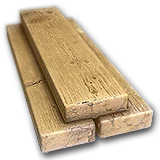
Building Blocks are used to Build your Home, but are easily destroyed by Enemies. To increases their Health and make them tougher for Enemies to destroy, Building Blocks and their various shapes can be upgraded to Wood, Cobblestone, Concrete, and then Steel in that order.
Use [Secondary] while holding a Repair Tool and having the correct Upgrade Items in your inventory to upgrade Blocks.
Missing Upgrade Items will be indicated in the bottom right of your HUD.
Hint: Press and Hold [Secondary] to upgrade the Building Block to a Wood Block. Collect more wood if needed.
- Upgrade Building BlockUses:
Reward: 100 XP
Place Door
Craft a Wood Door for your base.
Place Doors and Hatches with [Secondary].
Cycle rotations forward with [Primary] and backwards with [Reload] [Reload].
Doors and Hatches can be repaired and upgraded to stronger versions by using [Secondary] while holding a Repair Tool and having the correct items in your inventory.
Open or Close Doors and Hatches with [Activate][Activate].
Hold [Activate] to open a Radial Menu with options to Lock or unlock the door/hatch and Enter a Passcode to restrict who can use them.
- Place Wood Door
Reward: 100 XP
Place Storage Container
Place a Storage Container.
Place Storage Crates with [Secondary].
Cycle rotations forward with [Primary] and backwards with [Reload] [Reload].
Storage Crates can be repaired and upgraded to stronger versions by using [Secondary] while holding a Repair Tool and having the correct items in your inventory.
Hold [Activate] to open a Radial Menu with options to Lock or Unlock Storage Crates and Enter a Passcode to restrict who can use them. Storage Crates are also Writable, so you can label them for organization.
- Place Wood Storage Crate
Reward: 100 XP
Place Torch
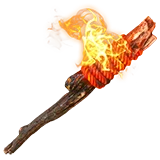
Craft a Torch for a light source.
Place a Torch using [Secondary].
Torches and Candles can be collected by destroying them
Be careful, too many Torches can eventually attract a Screamer Zombie.
- Place Wall TorchUses:
Reward: 100 XP
Place Spike Trap
Craft a Wood Spikes Trap for defense.
Spikes are Traps that slow down and damage anything that walks on them but also take damage themselves.
Place Wooden Spike Traps with [Secondary].
You can repair them with [Secondary] while holding a Repair Tool and having repair items in your Inventory.
There are other types of Traps available to craft.
- Place Wood Spikes Trap
Reward: 100 XP
Upgrade To Cobblestone
Upgrade a Block to Cobblestone.
Zombies do increased Damage against Wood Blocks, and groups of Zombies apply even more Damage per Zombie in the group.
Blocks made from Cobblestone or stronger reduce this Damage and are able to survive longer while being attacked by Enemies.
Use [Secondary] while holding a Repair Tool and having the correct Upgrade Items in your inventory to upgrade Blocks.
Missing Upgrade Items will be indicated in the bottom right of your HUD.
- Upgrade Wood BlockUses:
Reward: 100 XP
Reward loot groups
A loot reward that names several groups picks one of them at random, then rolls one item from it at the quest's loot stage. The chance of each item per roll comes from 4,000 rolls of the game's loot tables; the count is the usual stack size.
Skill Magazines
24 possible items: Knife Guy, Pack Rat Magazine, Explosive Magazine, Southern Farming…
| Item | Stage 1 | Count |
|---|---|---|
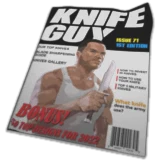 Knife Guy Knife Guy | 4.8% | 2 |
 Pack Rat Magazine Pack Rat Magazine | 4.8% | 2 |
 Explosive Magazine Explosive Magazine | 4.5% | 2 |
 Southern Farming Southern Farming | 4.5% | 2 |
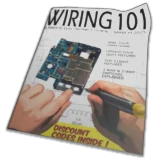 Wiring 101 Wiring 101 | 4.5% | 2 |
 Furious Fists Furious Fists | 4.4% | 2 |
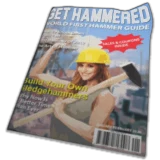 Get Hammered Get Hammered | 4.4% | 2 |
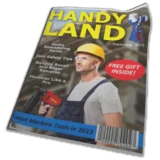 Handy Land Handy Land | 4.4% | 2 |
 Shotgun Weekly Shotgun Weekly | 4.3% | 2 |
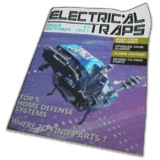 Electrical Traps Electrical Traps | 4.2% | 2 |
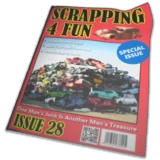 Scrapping 4 Fun Scrapping 4 Fun | 4.2% | 2 |
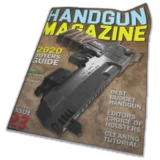 Handgun Magazine Handgun Magazine | 4.1% | 2 |
 Rifle World Rifle World | 4.1% | 2 |
 Tactical Warfare Tactical Warfare | 4.1% | 2 |
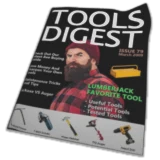 Tools Digest Tools Digest | 4.1% | 2 |
 Vehicle Adventures Vehicle Adventures | 4.1% | 2 |
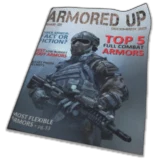 Armored Up Armored Up | 4% | 2 |
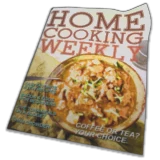 Home Cooking Weekly Home Cooking Weekly | 4% | 2 |
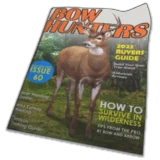 Bow Hunters Bow Hunters | 3.9% | 2 |
 Sharp Sticks Sharp Sticks | 3.9% | 2 |
 Tech Planet Tech Planet | 3.9% | 2 |
 Big Hitters Big Hitters | 3.8% | 2 |
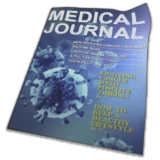 Medical Journal Medical Journal | 3.7% | 2 |
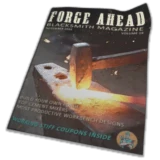 Forge Ahead Forge Ahead | 3.6% | 2 |